Loading...
IndoHRM Lite Edition

Attendance Machines + Free IndoHRM Lite

Buy an attendance machine from IndoHRM / Kinetikum Indo Solusi and get the IndoHRM Lite Edition attendance software for free. Plug it in, point it to ADMS, and your daily attendance is ready to process.

Free with every unit you buy

Each unit grants free access for up to 50 employees on that machine.

If you have more than 10 employees, you qualify for the IndoHRM Lite Edition software.

Attendance Machine Lineup

Recommended VL, AF, and AT Series attendance machines to pair with IndoHRM.

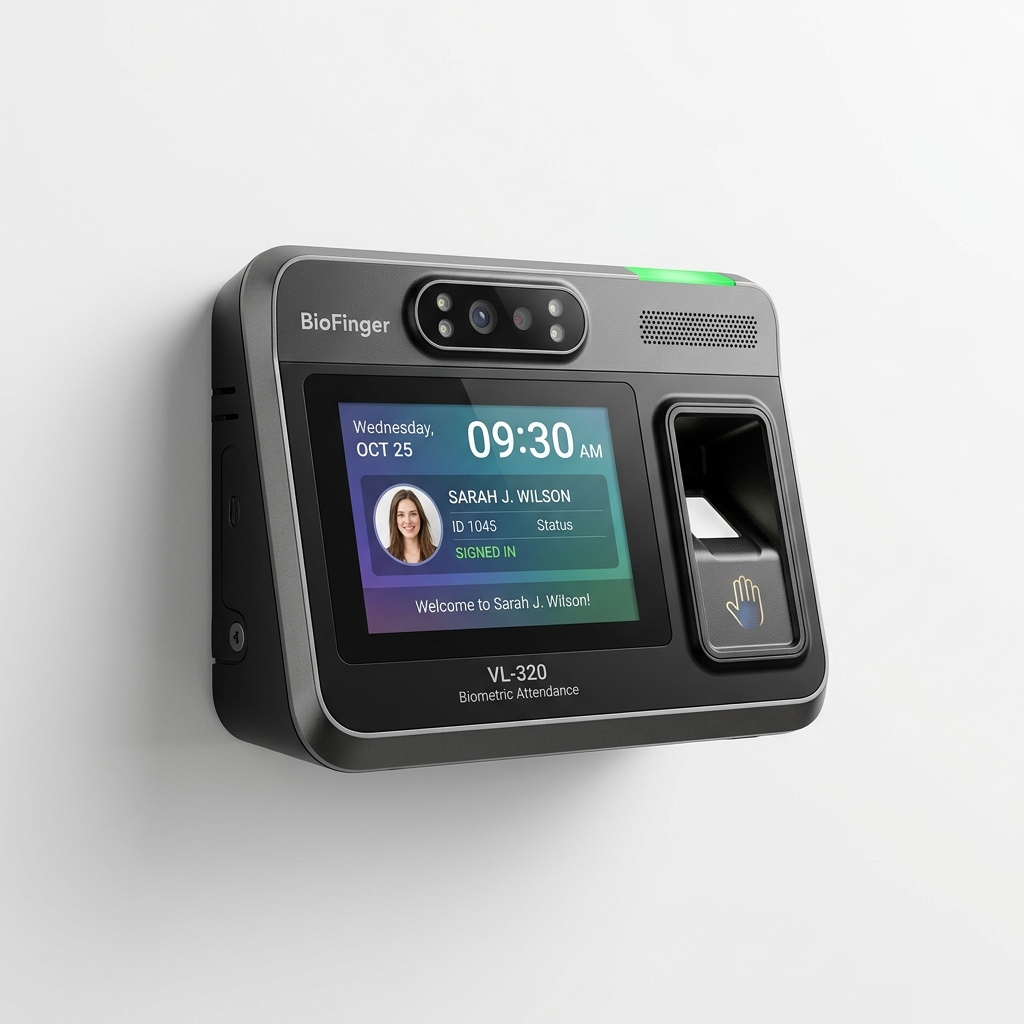
BioFinger VL-320
VL Series

BioFinger VL-320

Face & palm recognition, contactless

  • Contactless face & palm verification
  • 4.0" colour touch screen
  • 1,000 faces / 1,000 palms / 1,000 cards
  • Cloud ADMS ready
View Specifications
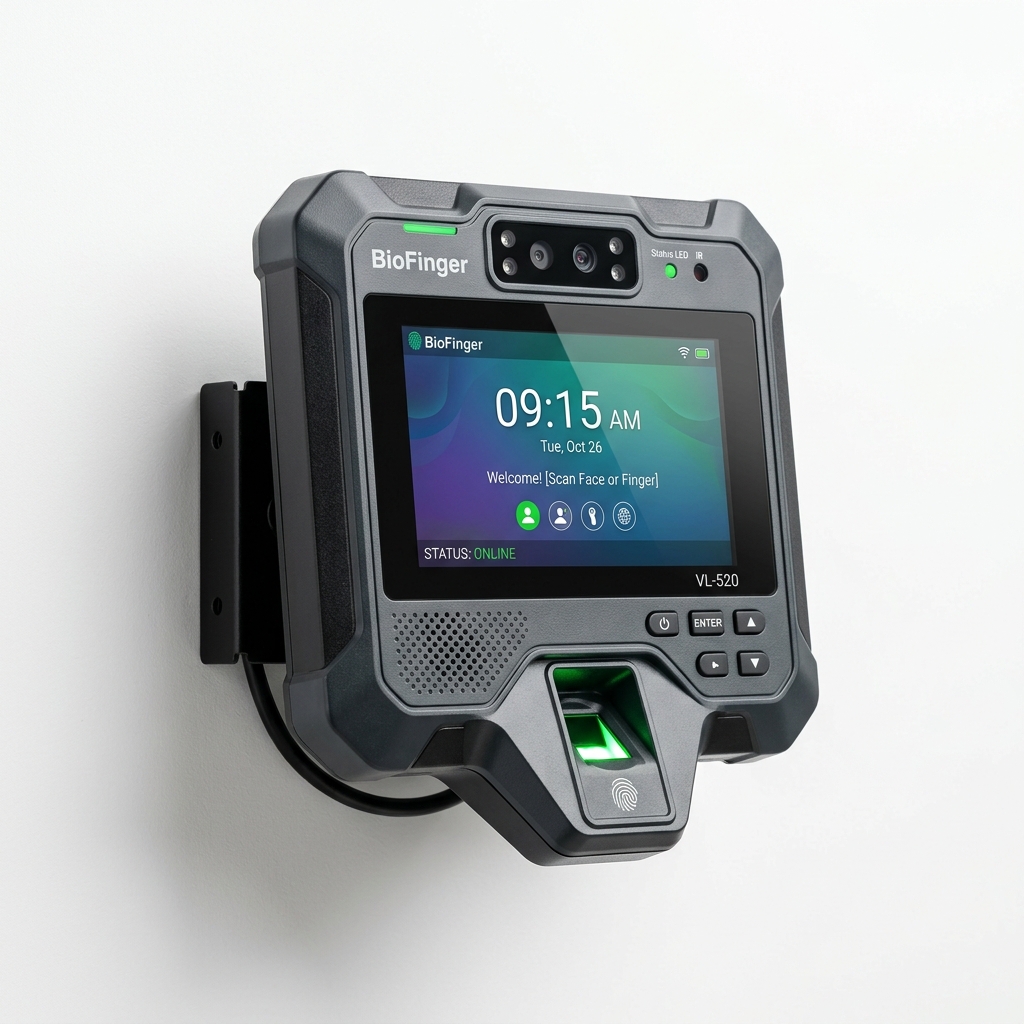
BioFinger VL-520
VL Series

BioFinger VL-520

Fingerprint + face + card, rugged IP65

  • Fingerprint, face & card in one device
  • IP65 splash- & dust-proof
  • 6,000 fingerprints / 3,000 faces / 6,000 cards
  • ADMS, SIP Client & ONVIF
View Specifications
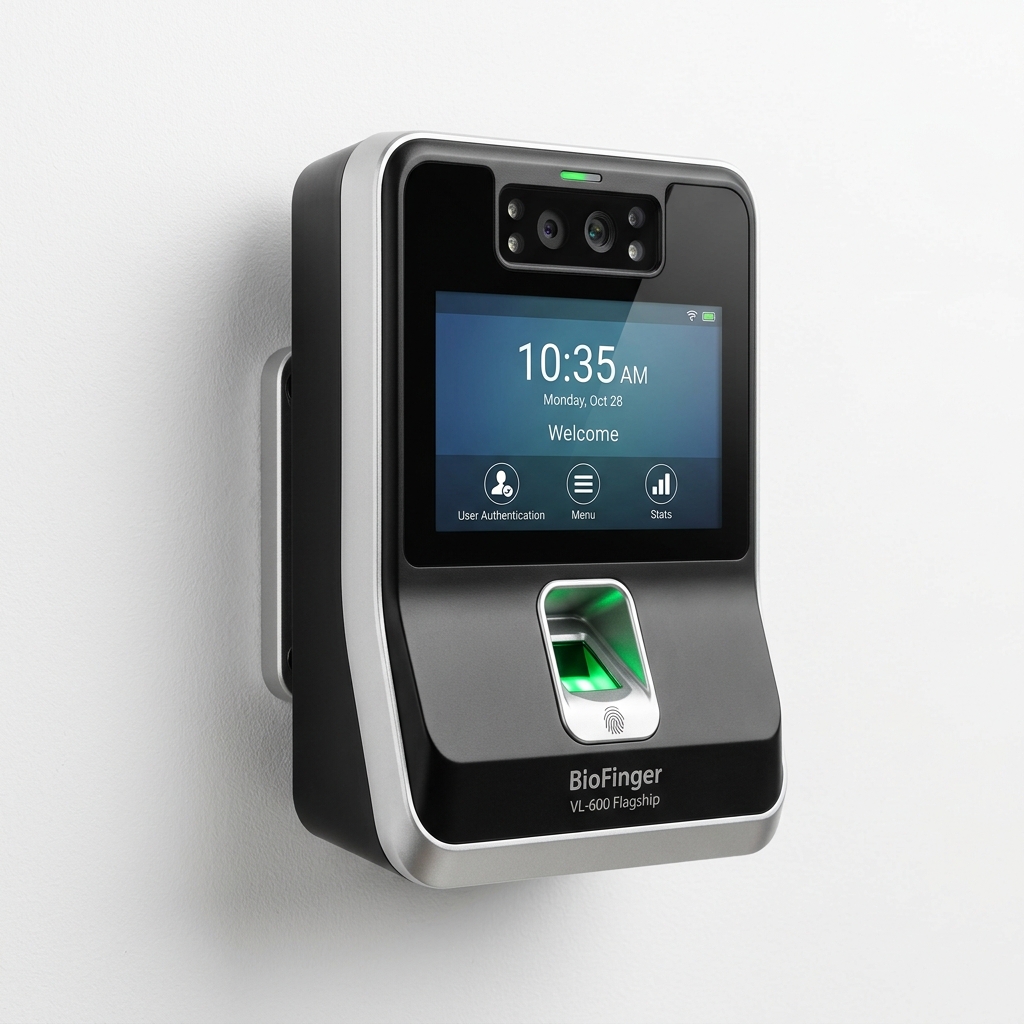
BioFinger VL-600
VL Series

BioFinger VL-600

High-capacity flagship, large touch display

  • Up to 8,000 fingerprints & 6,000 faces
  • Large 4.3" colour touch screen
  • 200,000 record capacity
  • IP65, ADMS, SIP & ONVIF
View Specifications
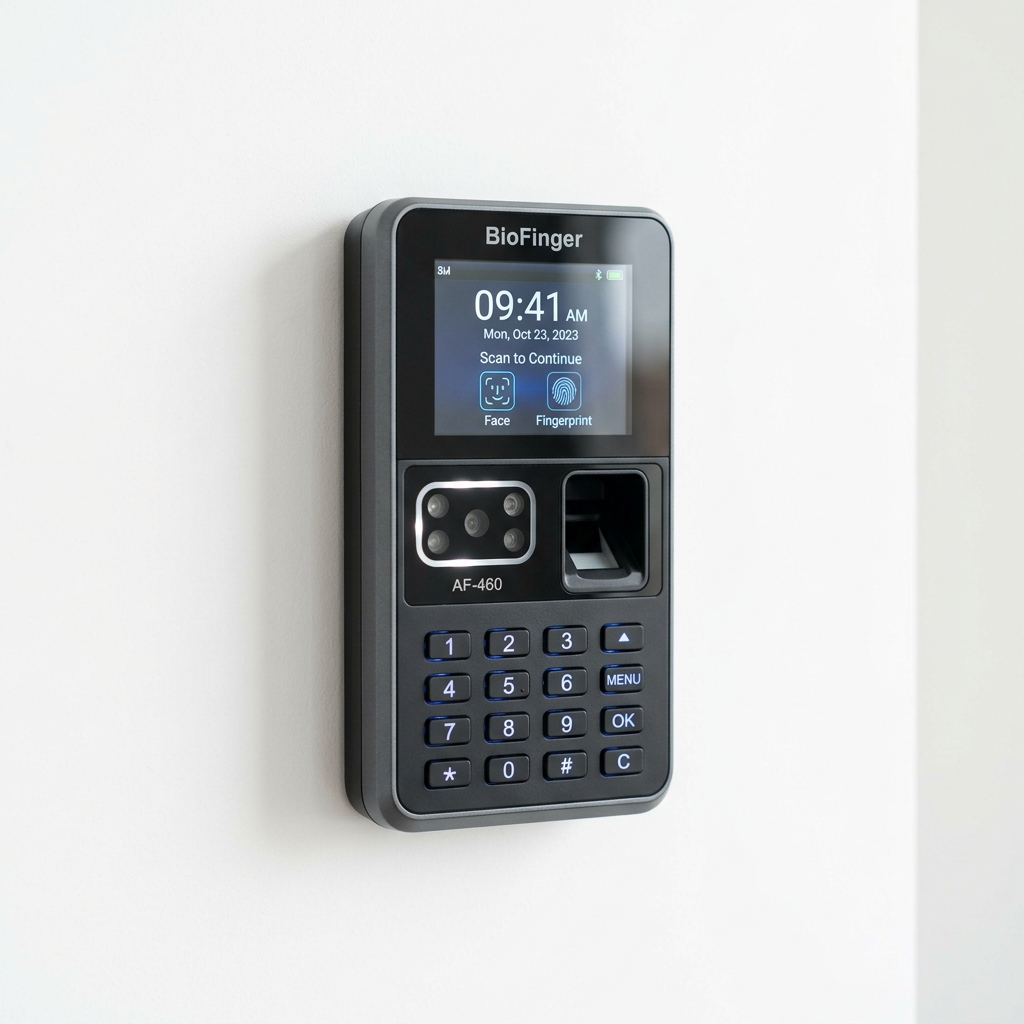
BioFinger AF-460
AF Series

BioFinger AF-460

Multi-biometric access control, Wi-Fi & cloud ADMS

  • Visible Light face recognition
  • Wi-Fi & LAN connectivity
  • Face, fingerprint & RFID verification
  • Built-in professional access control
View Specifications
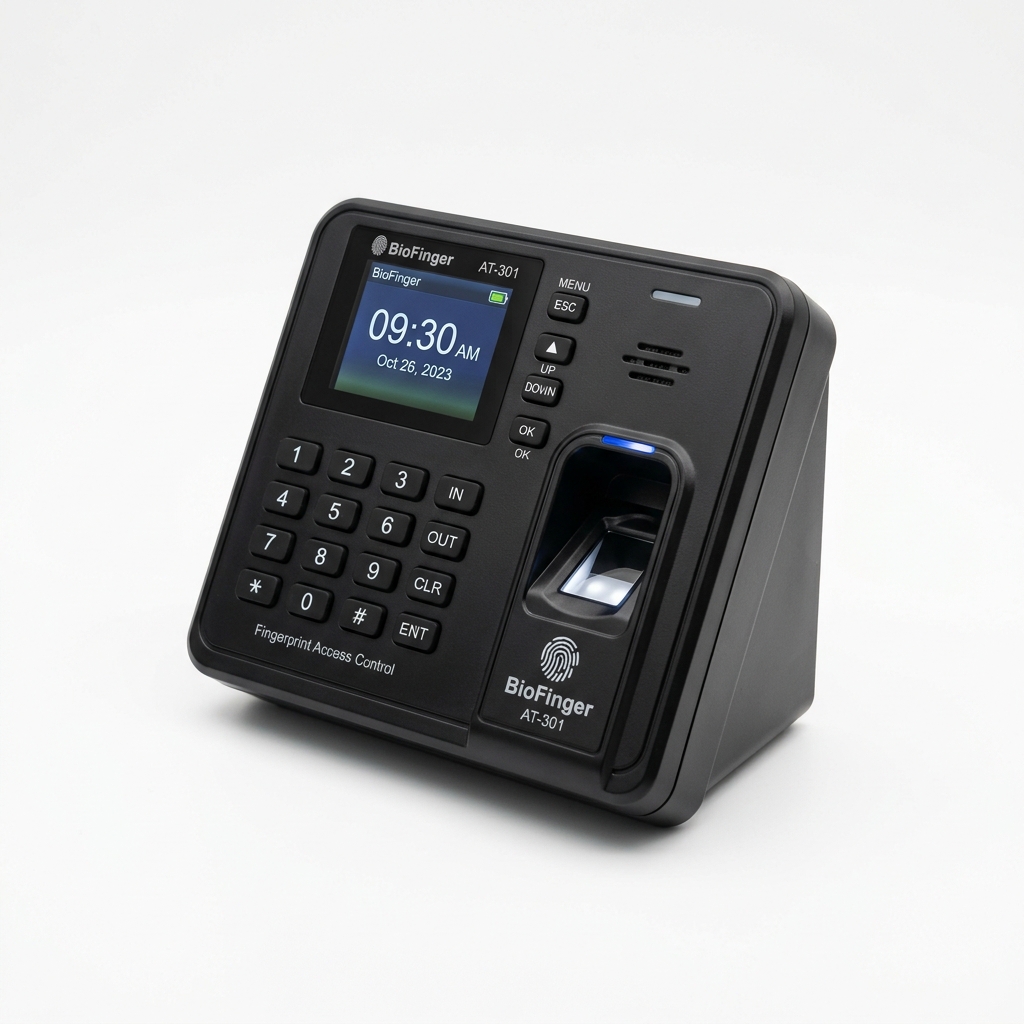
BioFinger AT-301
AT Series

BioFinger AT-301

Affordable fingerprint & card terminal with Wi-Fi & ADMS

  • High-speed fingerprint sensor
  • Wi-Fi & TCP/IP connectivity
  • Built-in RFID card reader
  • Compact keyboard entry
View Specifications
ADMS · adms.indohrm.com

What is ADMS?

ADMS (Automatic Data Master Server) is a cloud server that receives attendance data directly from the machine automatically and in realtime, 24/7, over the internet.

You never have to pull data from the machine by hand. The moment an employee clocks In, Out, for a Break or Overtime, the record is pushed and synced to adms.indohrm.com. Machines can be placed at any location with no special modem/router configuration, and the system keeps the cloud record count in sync with the machine.

adms.indohrm.com
Automatic Data Master Server
Head Office Jakarta
Surabaya Branch 1
Surabaya Branch 2
Semarang Branch 1
Semarang Branch 2

Every location pushes straight to one server. Data from all branches lands in one place and can be used together — no office server, no manual per-branch data pulls.

The flow is simple

1

Install the machine

Mount the attendance machine at your site and connect it to the internet (LAN / WiFi).

2

Point it to adms.indohrm.com

Aim the machine at our ADMS server. Nothing to install on any computer.

3

Daily attendance

Employees clock in and out; records are pushed to the cloud automatically and in realtime.

4

Download for payroll

Download the calculated attendance data (PDF / XLSX) and process it into payroll.

IndoHRM Lite vs Professional Edition

IndoHRM Lite Edition focuses on Attendance only. When you need Payroll and the full HR module suite, upgrade to IndoHRM Professional Edition.

Module IndoHRM Lite IndoHRM Professional
Realtime attendance & presence
Leave, overtime, advanced shifts
Machine sync via ADMS
Attendance reports (PDF / XLSX)
Payroll & pay slips
Full HR modules (KPI, recruitment, etc.)
Allowances, deductions, BPJS Health & Employment
PPh21 (income tax), bank file export

Claim Your Software with the Serial Number

Already bought a machine? Register your product Serial Number (S/N) to activate IndoHRM Lite Edition.

Please complete the reCAPTCHA.